
 Guide
Guide
07 — Daily stock checks
For the kitchen, the storekeeper and managers.
1. What changes stock
Amber's stock count is only right if every movement is recorded. Each one has its own screen:
| Movement | Stock | Recorded by | Where |
|---|---|---|---|
| Delivery from a supplier | Up | Storekeeper | Receiving (chapter 05) |
| A dish is sold | Down, by its recipe | Amber, automatically | When the waiter taps Send to kitchen |
| Spoiled, expired, broken, spilled, staff meal | Down | Kitchen or storekeeper | Wastage |
| Stock moved between stores | Down in one, up in the other | Storekeeper | Stock moves |
| Count differs from Amber | Up or down | Storekeeper counts, a manager posts | Stock takes |
Marking a dish 86 (not available today) does not change stock. It only stops waiters ordering it.
2. See what a sale used
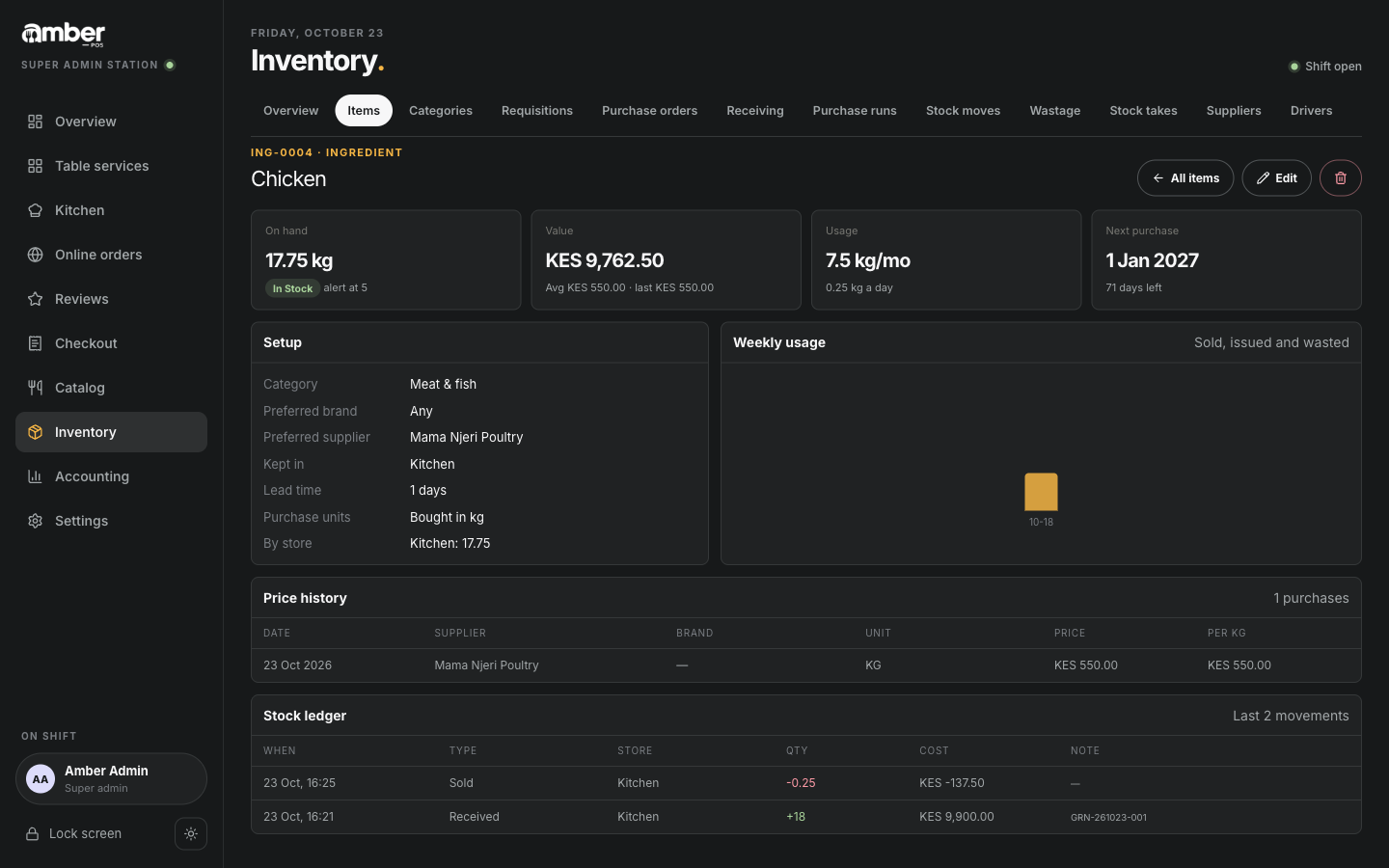
- Inventory › Items, tap the item.
- On hand is what Amber says you have now. The Stock ledger at the bottom lists every movement: Received, Sold, Wasted… with the quantity, cost and reference.
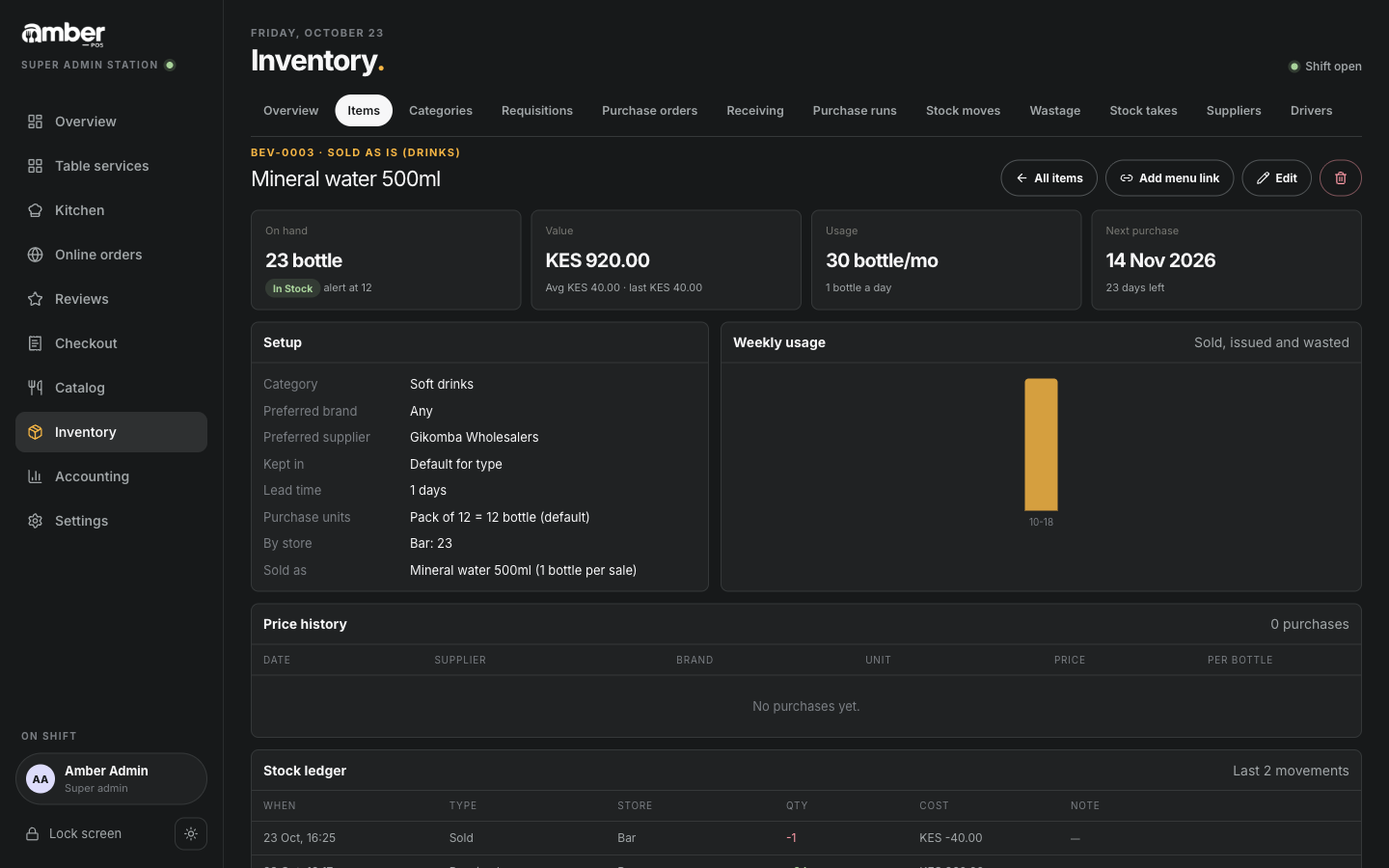
Drinks sold as is work the same way, one bottle per sale:
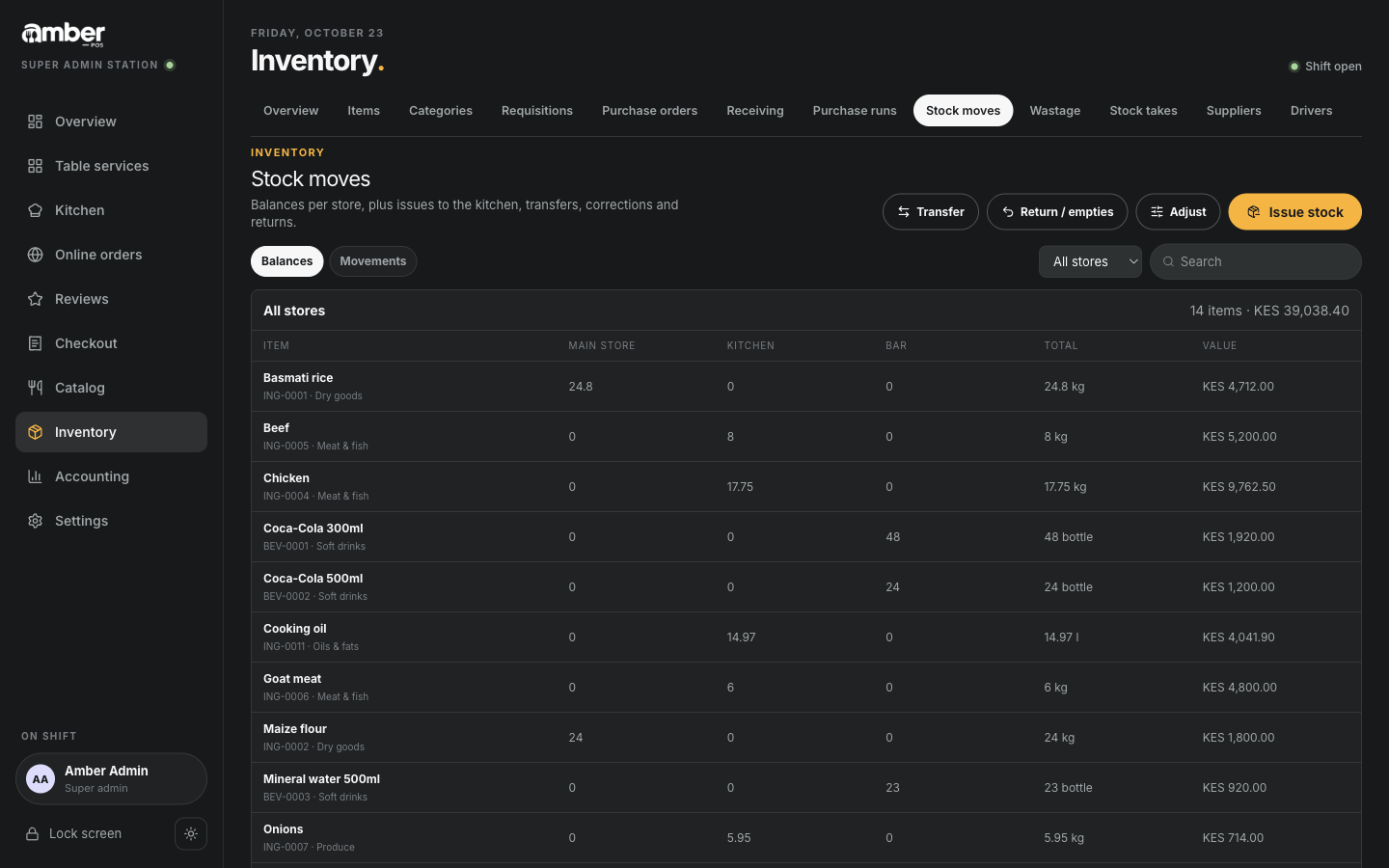
Inventory › Stock moves shows the same for all items together.
3. Mark a dish unavailable ("86")
When the kitchen can't make a dish today (no fish, grill broken):
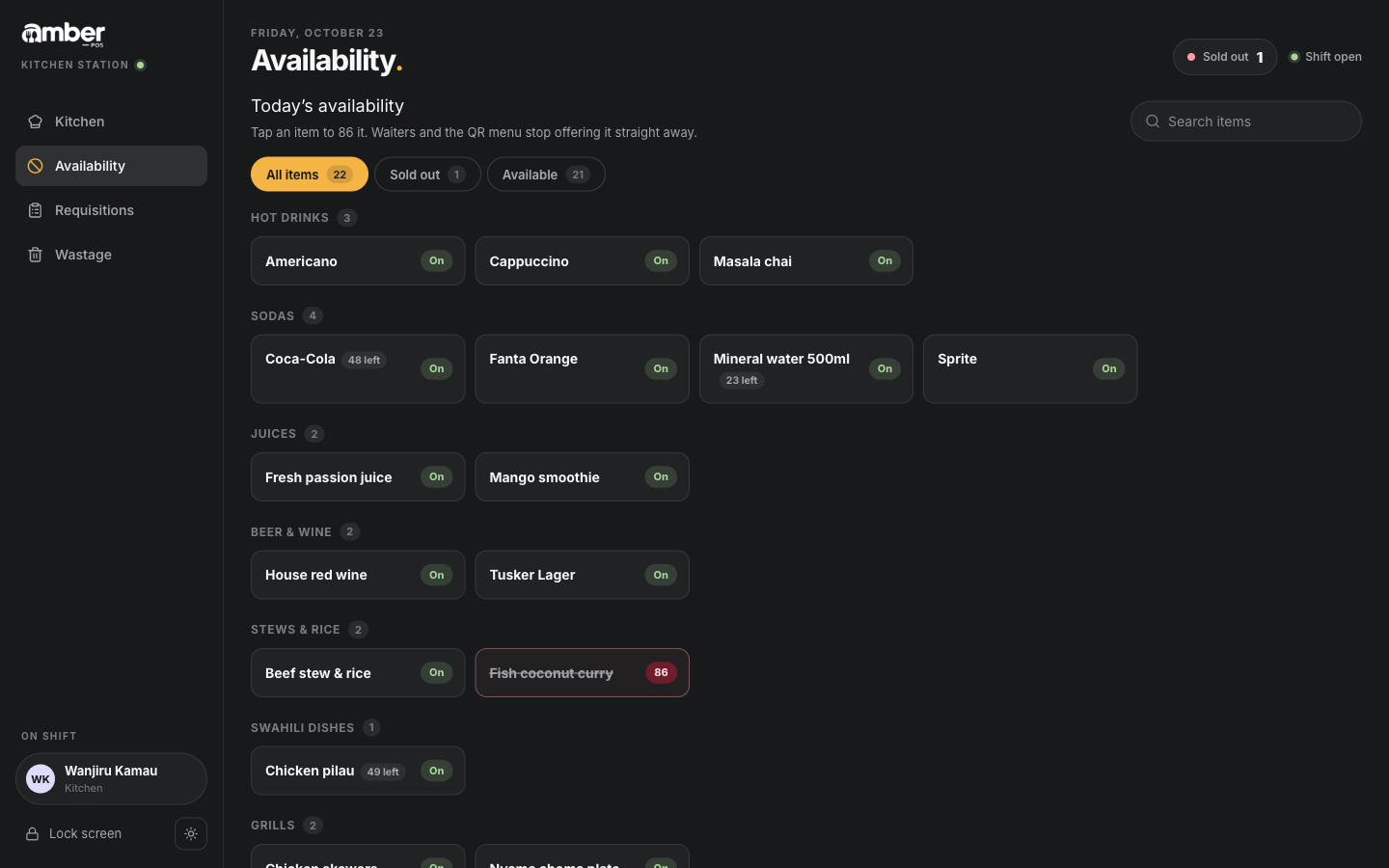
- Availability (kitchen or cashier).
- Tap the dish. It switches from On to 86.
Waiters see Not available today on it and can't add it to an order. Tap it again to switch it back On.
Dishes with a recipe and Mark sold out automatically (chapter 04) switch themselves off when an ingredient runs out, and back on after the next delivery.
4. Record waste
Record anything thrown away, so stock and food cost stay true.
- Wastage.
- Store: where it was (the kitchen's own store is picked for kitchen staff).
- Reason: Spoiled, Expired, Breakage, Spillage, Staff meal, Over-produced or Other.
- Pick the item and type the quantity in its stock unit.
- Notes: what happened.
- Record wastage. You see Wastage recorded.
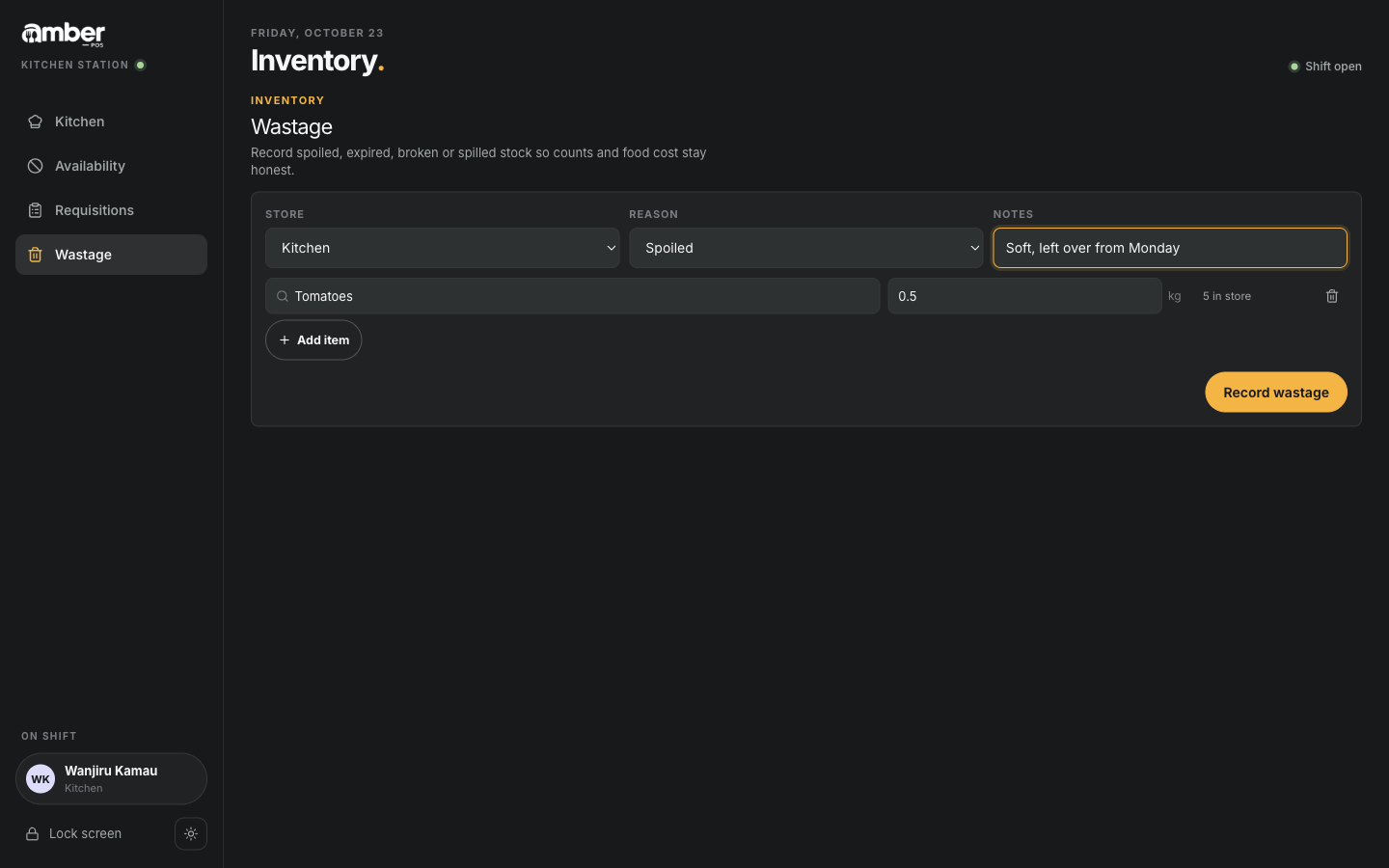
Worked example
| Chicken | Mineral water | Tomatoes | |
|---|---|---|---|
| Start of chapter 05 | 0 kg | 24 bottles | 5 kg |
| Delivery GRN-261023-001 | +18 kg | ||
| Sale at T01 | −0.25 kg (1 Chicken pilau) | −1 bottle | |
| Wastage: spoiled | −0.5 kg | ||
| On hand | 17.75 kg | 23 bottles | 4.5 kg |
Common problems
| What you see | Why | What to do |
|---|---|---|
| On hand is lower than what is on the shelf | A delivery was not received in Amber | Receive it (chapter 05), or count it in a stock take |
| On hand is higher than what is on the shelf | Waste or staff meals were not recorded, or a recipe is too small | Record wastage; check the recipe amounts |
| A dish keeps switching itself off | One of its ingredients is at zero | Receive that ingredient, or correct its count |
| On hand is negative | More was sold than Amber knew you had | Receive the missing delivery, or do a stock take |
Checklist
- After a sale, the dish's ingredients went down by the recipe amounts
- Dishes the kitchen can't make today are 86 on Availability
- Waste is recorded every day, with a reason
- Stock moves show no movement you can't explain